
Latest Version
FIPLAB Ltd
Tools
Mac
$9.99
1007358832
Report a Problem
More About Disk Aid: System Cleaner
Why Your Mac Needs a Dedicated Performance Boost
Over time, even the most powerful macOS systems can begin to feel sluggish as hidden system logs, application caches, and duplicate files accumulate in the background. If you find yourself constantly managing storage warnings or noticing a dip in system speed, Disk Aid: System Cleaner offers a professional-grade remedy. Developed by the utility specialists at FIPLAB Ltd, this comprehensive suite is designed to restore your hardware's peak performance by targeting digital clutter at its source.
Comprehensive Optimization via Six Specialized Modules
Instead of relying on a single, generic scan, Disk Aid: System Cleaner organizes its optimization tools into six dedicated modules, allowing users to safely target specific areas of their system:
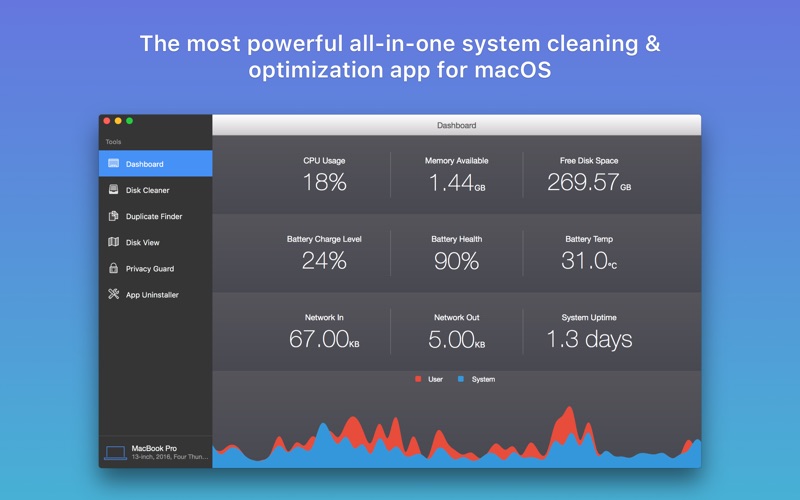
- Real-Time Dashboard: Monitor your Mac's vital statistics at a glance. Keep track of CPU usage, memory pressure, and battery health in real time.
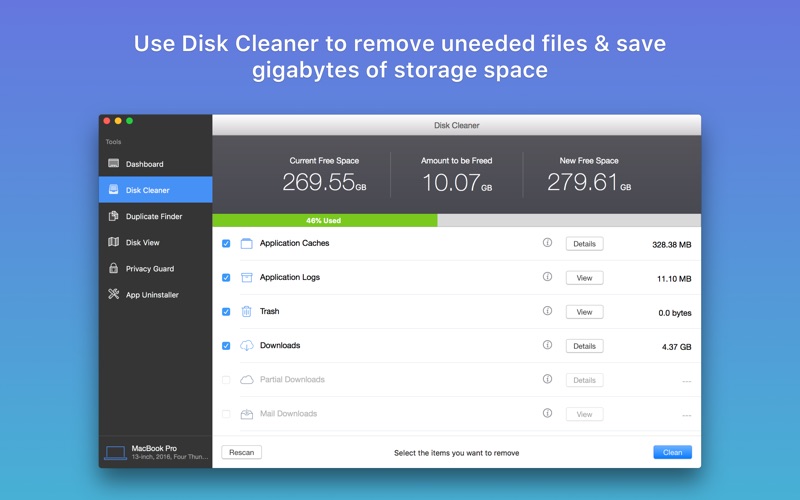
- Advanced Disk Cleaner: Safely purge unneeded application caches, old mail downloads, logs, browser history, and outdated iOS updates. It also includes a large-file finder to identify space-hogging archives and media.
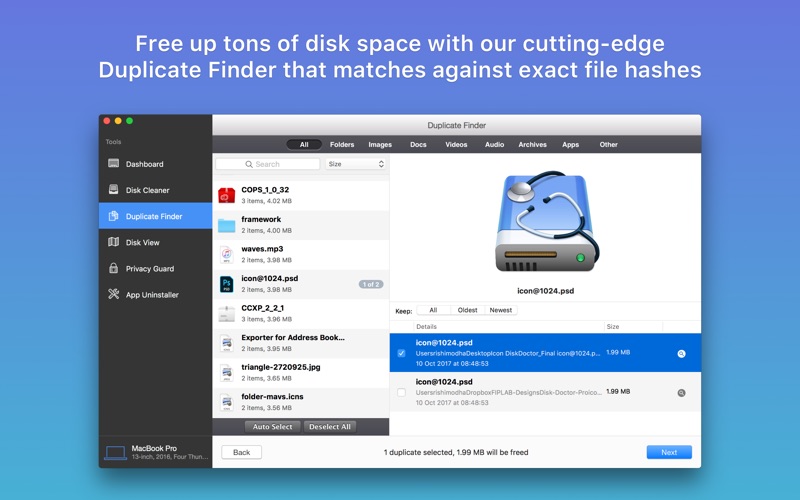
- Precision Duplicate Finder: Utilizing a secure SHA-1 hash detection algorithm, this tool locates identical files across internal, external, and network drives, allowing you to quickly reclaim gigabytes of storage.
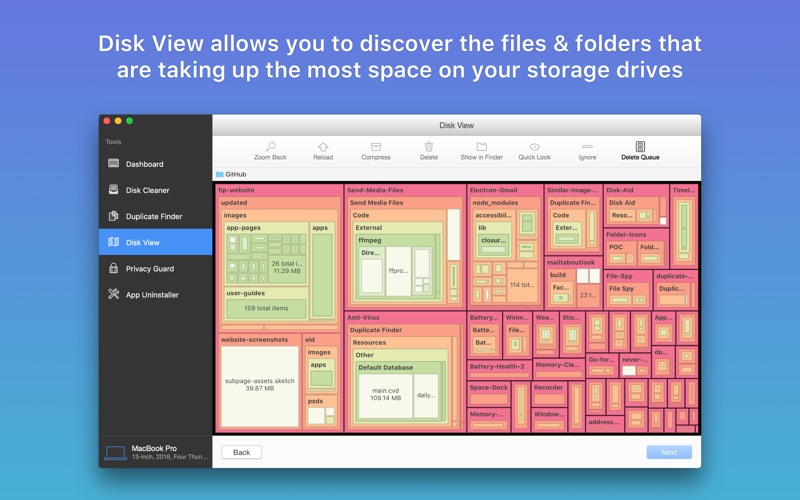
- Visual Disk View: Navigate your directory structure through a beautiful, color-coded visual tree map that highlights exactly which folders occupy the most disk space.
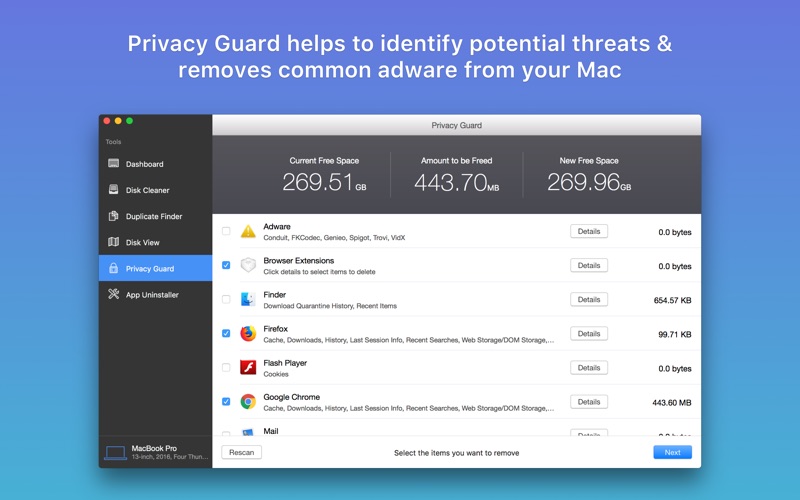
- Privacy Guard: Protect your digital footprint by identifying and removing malicious browser extensions, tracking cookies, and temporary web storage.
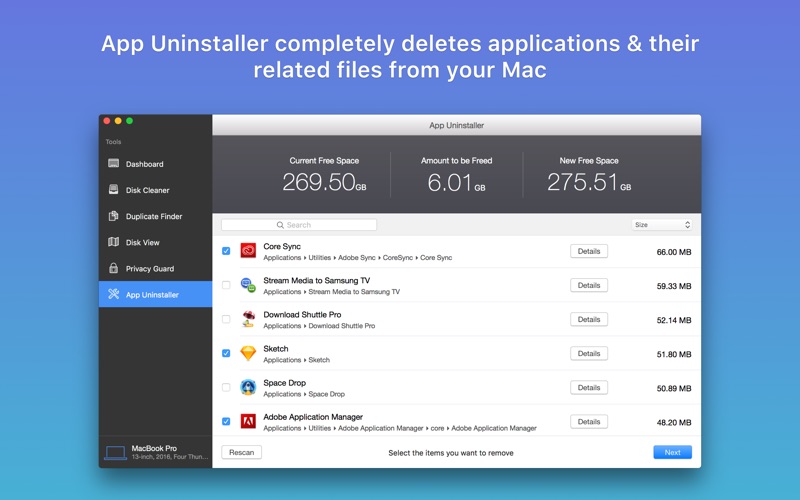
- App Uninstaller: Go beyond simply dragging apps to the Trash. This module detects and removes orphaned library files, preferences, and support containers that applications leave behind.
Who is Disk Aid: System Cleaner For?
This utility is an excellent fit for creative professionals, remote workers, and everyday Mac users who rely on their machines for resource-intensive tasks. By giving you granular control over what to delete—complete with custom blacklists and automated selection rules—the software ensures you never accidentally remove critical system data. It turns complex system maintenance into a straightforward, visual process.
Final Verdict
If you are looking for a trustworthy, comprehensive utility to reclaim valuable storage and safeguard your privacy, Disk Aid: System Cleaner delivers an outstanding suite of tools. To learn more or to add this utility to your workflow, visit the official Mac App Store to get started.
Rate the App
User Reviews











Popular Apps










Editor's Choice